These are the global default spacing values applied to new sections when you add them to the canvas. Think of it as your page-wide baseline, but every individual section can override these values in its own settings panel. Changes here do not retroactively affect sections already on the canvas.
💡This sets the default for new sections only. To change spacing on a section already on the canvas, select that section and go to Section settings → Spacing tab: where you'll find the same controls plus per-device overrides for Desktop, Tablet, and Mobile.
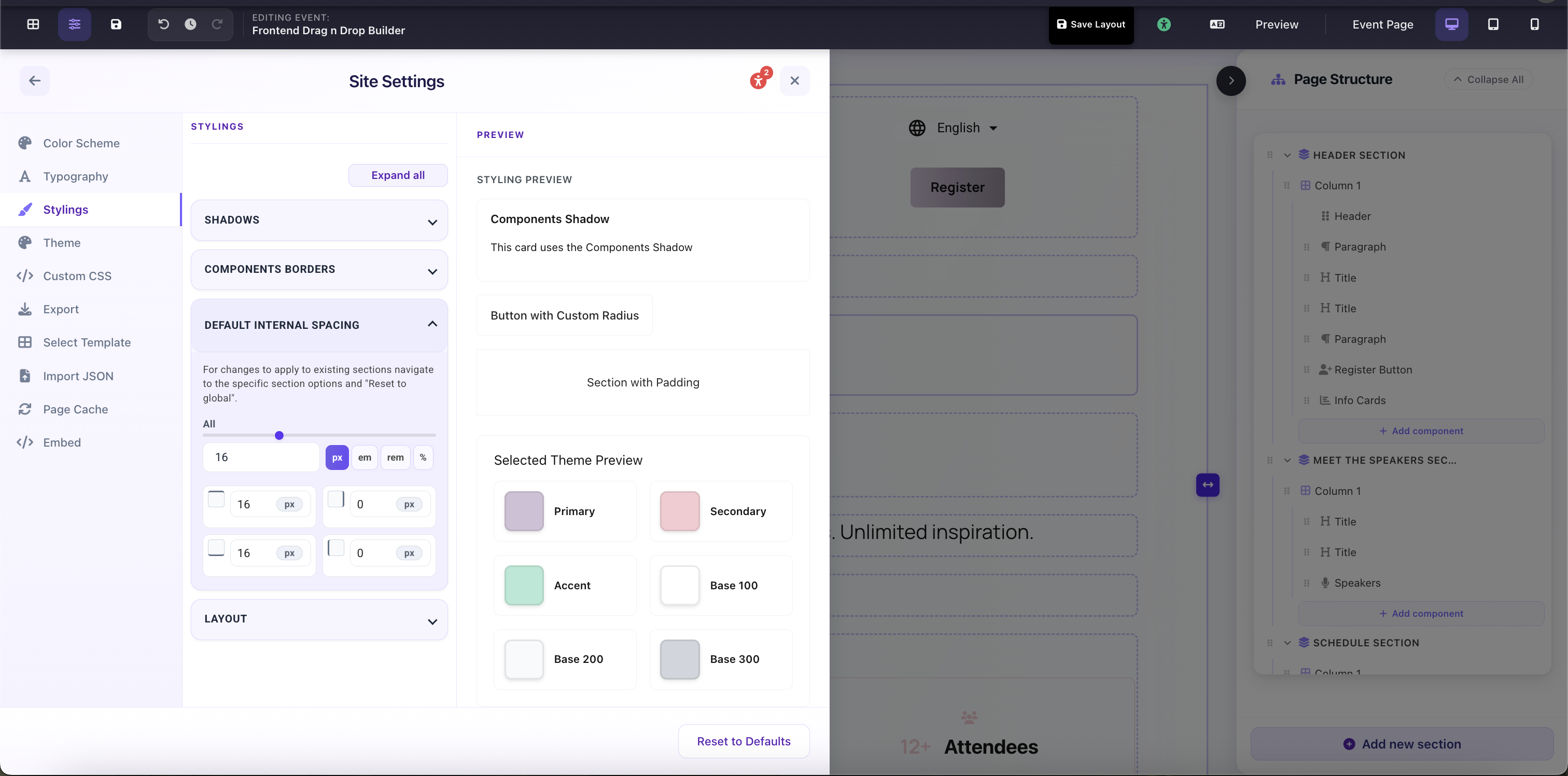
Site Settings → Stylings → Default Internal Spacing: global padding slider and per-side controls with px/em/rem/% unit switcher