Click the AB icon in the toolbar to open the Translations panel. This lets you create fully translated versions of your event page without duplicating your layout or relying on DD (Dynamic Data) field values.
To set up translations:
- Set the Source Language: the language your page content is written in (e.g. English)
- Add one or more Target Languages using the dropdown (e.g. Spanish, French)
- Click Auto-fill translations: the system fills in all component strings automatically using AI translation
Every text string on your page (header nav items, button labels, section headings, FAQ answers) appears as an editable field grouped by component.
💡Auto-translate first to get a solid baseline, then manually overwrite any strings that need a more precise or branded translation. Toggle Overwrite existing off to protect strings you've already hand-edited.
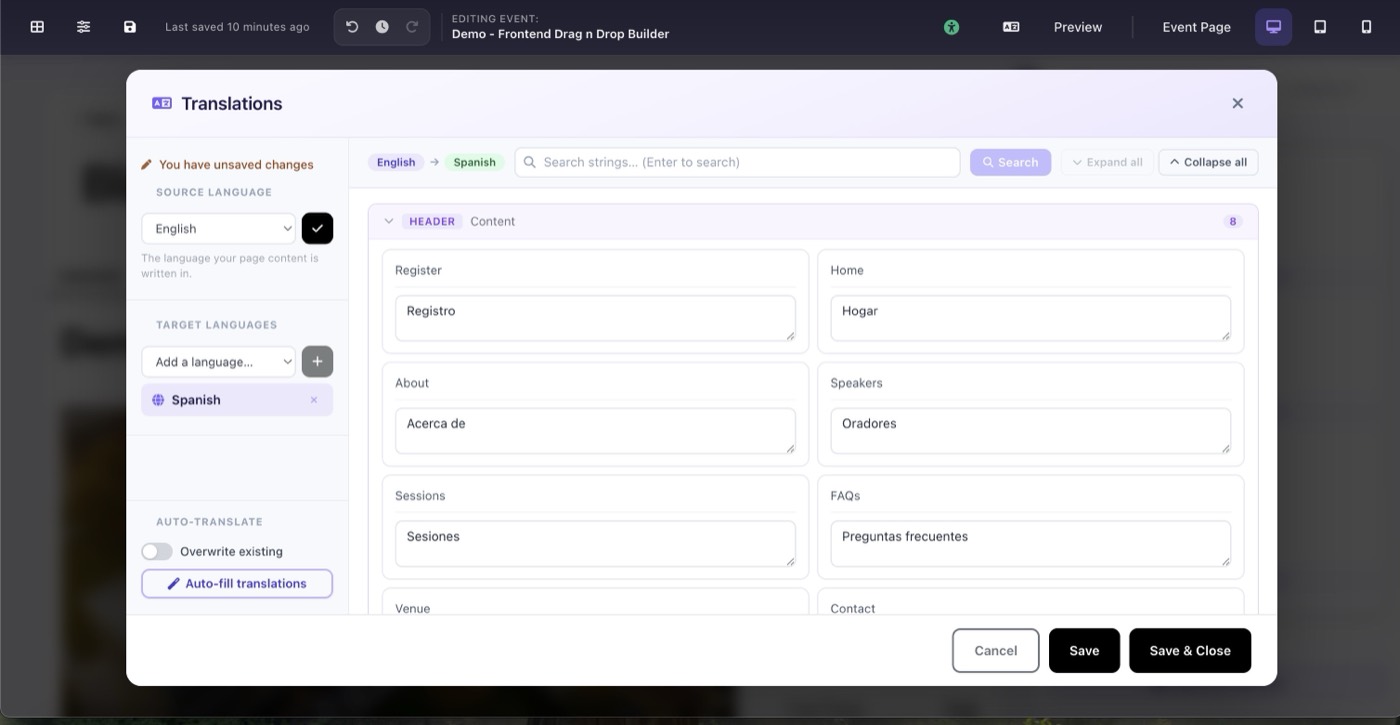
Translation panel: source language English, target Spanish, auto-filled strings