Go to Site Settings → Import JSON to load a previously exported layout into the current event. You can import in two ways:
- Paste JSON: copy a layout JSON and paste it directly into the text area. The dialog validates it in real time and shows ✓ Valid JSON when it's ready.
- Upload a file: drag and drop a
.jsonfile or browse your computer.
Click Import Layout to apply. This replaces the current layout entirely, so export a backup first if you want to keep what you have.
Common use cases:
- Apply a design from a previous event to a new one instantly
- Share a layout between orgs or from a Blackthorn template
- Restore from a JSON backup after unwanted changes
💡The character count shown below the paste area gives you a quick sanity check: a typical full-page layout is 50,000–100,000 characters.
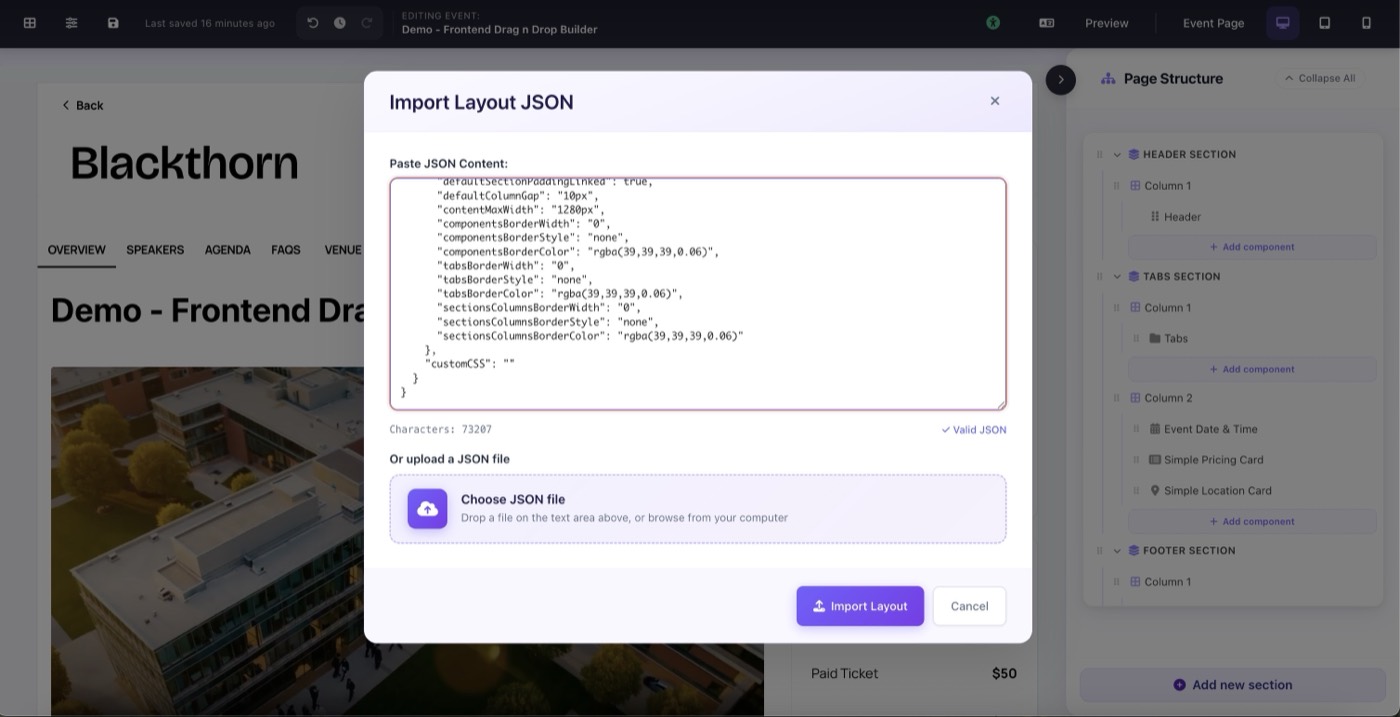
Import Layout JSON dialog: paste JSON or upload a file, with live validation