To Import Layout JSON, go to Site Settings → Import JSON to load a previously exported layout into the current event. This replaces your current layout entirely.
Paste JSON
Copy a layout JSON from a file, a message, or another source and paste it directly into the text area. The dialog validates it in real time and shows ✓ Valid JSON when it's ready to import.
Upload a File
Drag and drop a .json file or browse your computer. The file is validated automatically before the Import button becomes active.
Import Layout
Applies the JSON to the current event, replacing all sections, columns, components, and Site Settings. Use cases: applying a design from a previous event, sharing layouts between orgs, or restoring from a backup.
⚠️Import is destructive and immediate. The History panel lets you step back if you haven't navigated away, but always export a backup before importing.
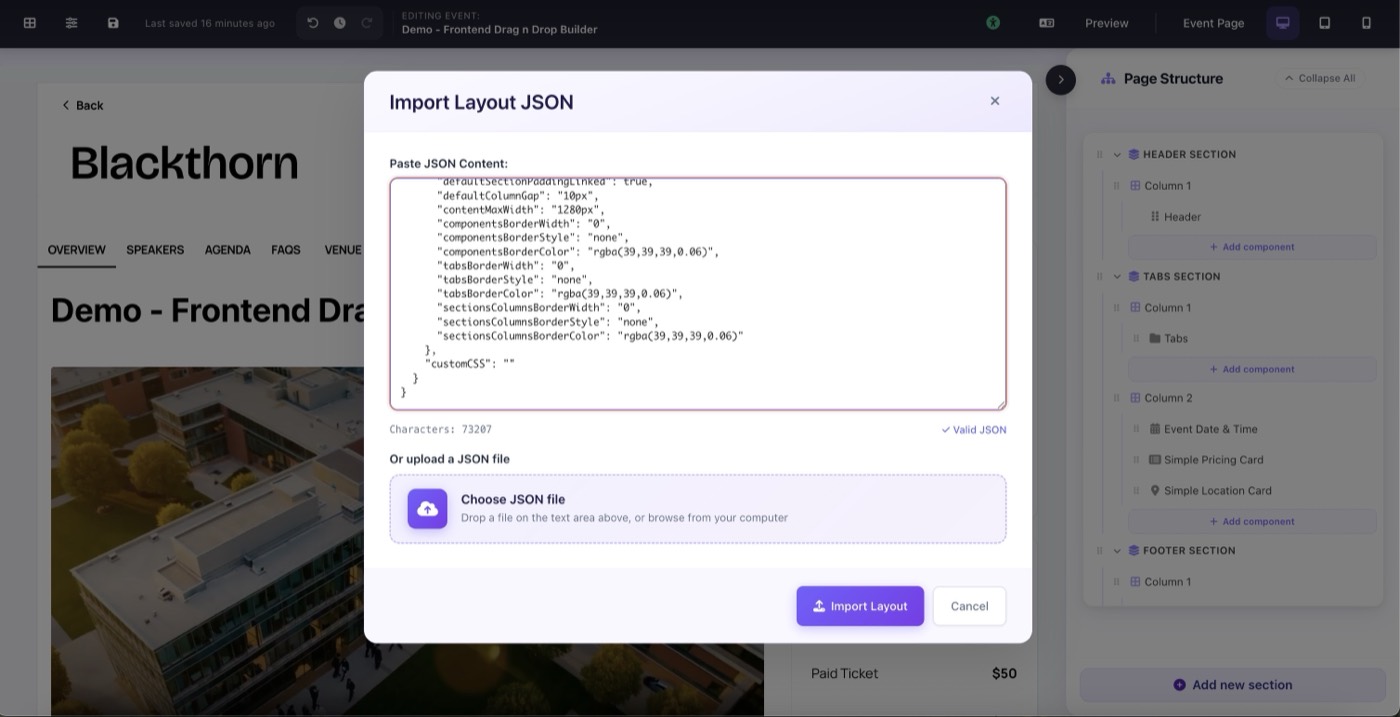
Site Settings → Import JSON: paste JSON or upload a file with live validation