Typography controls font families, sizes, weights, and semantic colors:
- Font Colors Primary / Secondary / Muted
- Semantic colors: Success, Warning, Error, Info (with on-color variants)
- Font Families: UI Font (body), Title Font (H1–H3), Paragraph Font
- Custom Fonts via
@font-faceupload - Size tokens for h1–h3, bodyLarge, bodySmall, caption
Stylings controls global defaults for shadows, borders, spacing, and layout width (Full / Expanded / Boxed / Custom).
💡The live Typography Preview panel updates in real time as you change settings: no need to save and refresh to check how headings and body text look together.
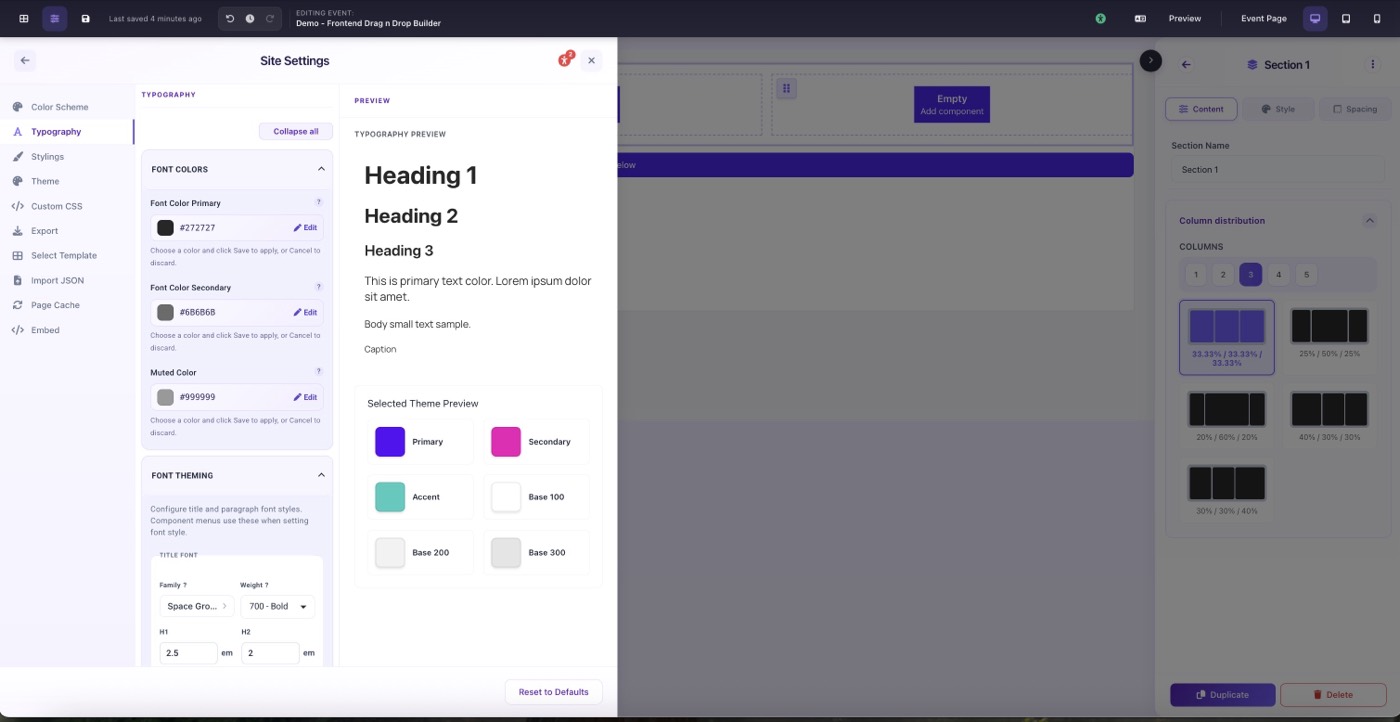
Typography settings with live preview panel on the right