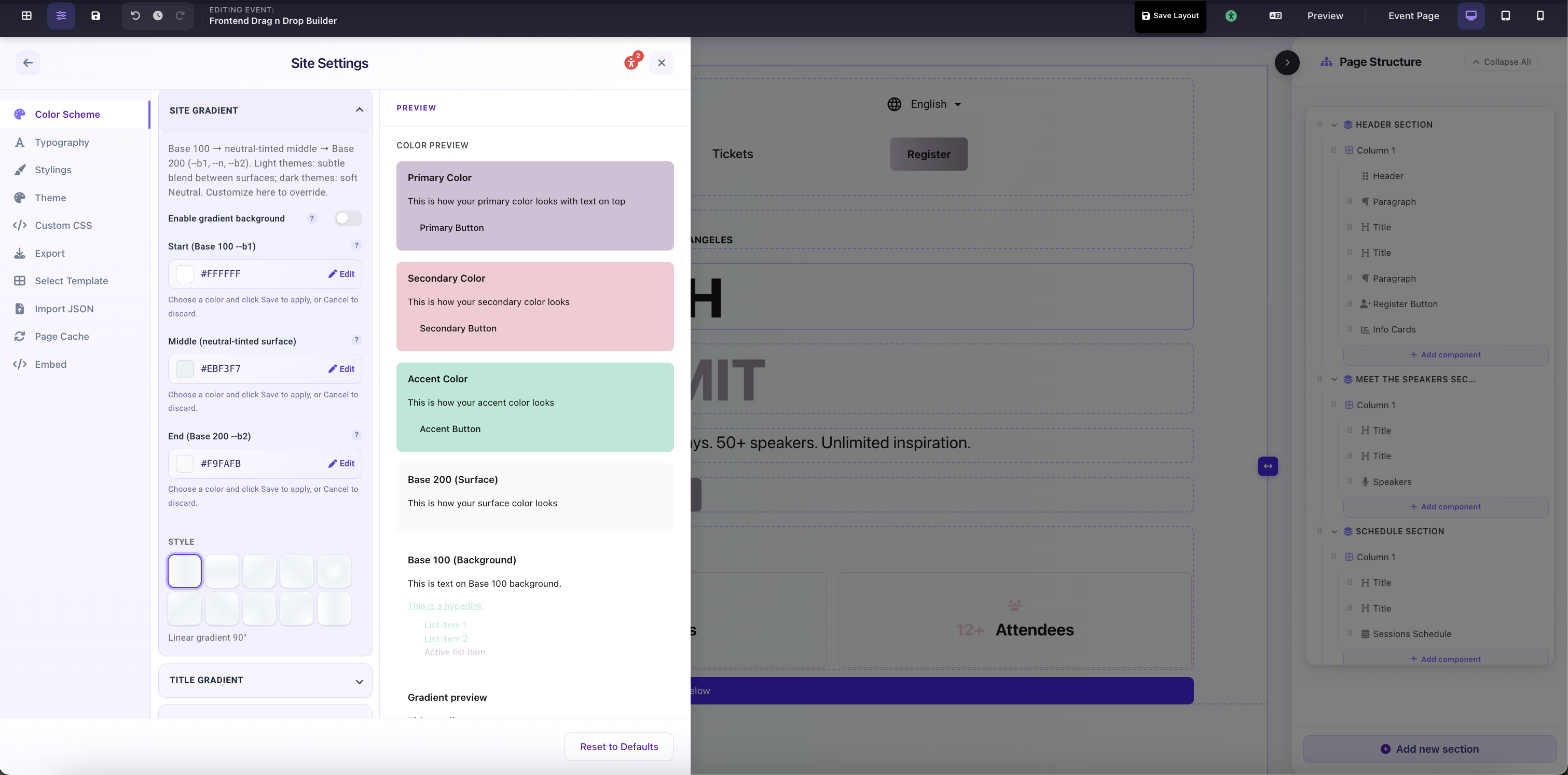
The Site Gradient replaces your flat page background with a three-stop gradient that flows behind all sections on the page. It is pre-filled from your Base 100 and Base 200 tokens and works best on dark themes where added depth across a long-scrolling page creates visual richness.
Site Gradient
Enable Gradient Background
Toggle. When on, the page background becomes a 3-stop gradient instead of a flat Base 100 fill. When off, all three color stops are saved but have no effect until re-enabled.
Start (Base 100 --b1)
First gradient stop. Defaults to Base 100: your primary page background. The gradient originates here (top-left for linear, center/corner for radial).
Middle (neutral-tinted surface)
Midpoint stop. Defaults to a neutral-tinted surface between Base 100 and Base 200. Light themes: subtle blend between surfaces. Dark themes: soft neutral shift. Move it closer to Start or End to reduce the mid-color pop.
End (Base 200 --b2)
Final stop. Defaults to Base 200. On dark themes this creates visible depth across the scroll; on light themes it's often nearly invisible unless you push it toward a contrasting color.
Style
Direction of the gradient: Linear 90° (left → right), 180° (top → bottom), 135° / 45° (diagonal), Radial center, or Radial corners. For full-page scroll, Linear 180° (top → bottom) is the most natural.
Site Settings → Color Scheme → Site Gradient: 3-stop background gradient with direction style picker