Click the accessibility icon in the toolbar to run the Layout Accessibility Scan (labeled Beta). It checks your page for:
- Contrast failures (text against its background color)
- Images missing alt text
- Buttons without labels
The toolbar icon shows how many issues the scan found. Click Fix next to an issue to jump to that element and select it, then correct it in the settings panel. A green checkmark and "No accessibility issues found!" means the scan found nothing to fix.
Site Settings also has a separate Accessibility Checks panel that tests your theme colors against WCAG 2.1 AA contrast. There you can auto-fix colors one at a time or use Auto-fix All Issues.
💡Run the accessibility scan as your last step before publishing. It takes seconds and protects visitors who rely on screen readers or have low vision.
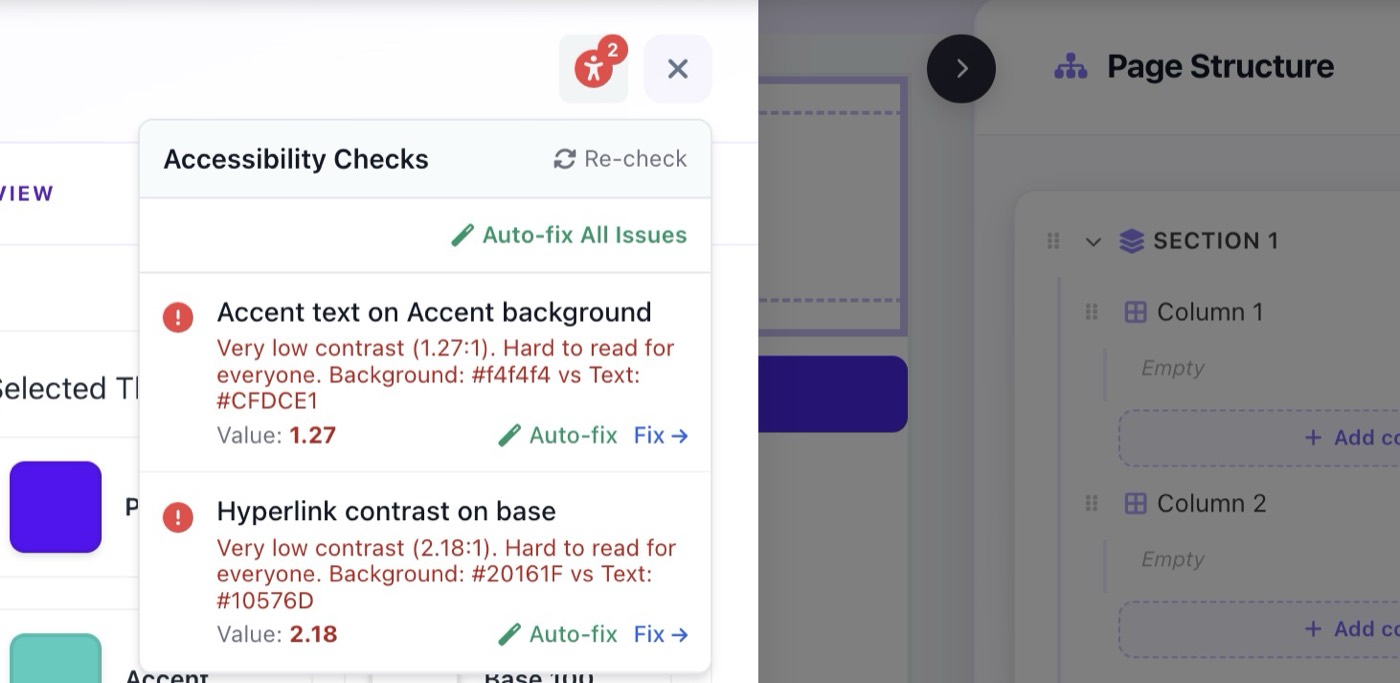
Accessibility Scan showing contrast issues with Auto-fix options