Fill in the wizard fields:
| Field | What it sets |
|---|---|
| Theme name | Unique identifier (lowercase letters only, e.g. mybrand) |
| Background | Page base background: use your lightest brand color or #ffffff |
| Text on base | Default body text: #1f2937 (near-black) works for light backgrounds |
| Primary | Main action color: buttons, links, highlights |
| Accent | Secondary accent: complementary brand color |
| Button radius | 0.375rem for subtle, 1rem for pill-shaped |
Click "Save & Auto-Fill the rest". The wizard propagates all tokens across Site Settings.
💡Your saved theme appears under Your Org Themes and can be reused for any future event. You'll never need to set up the same brand colors twice.
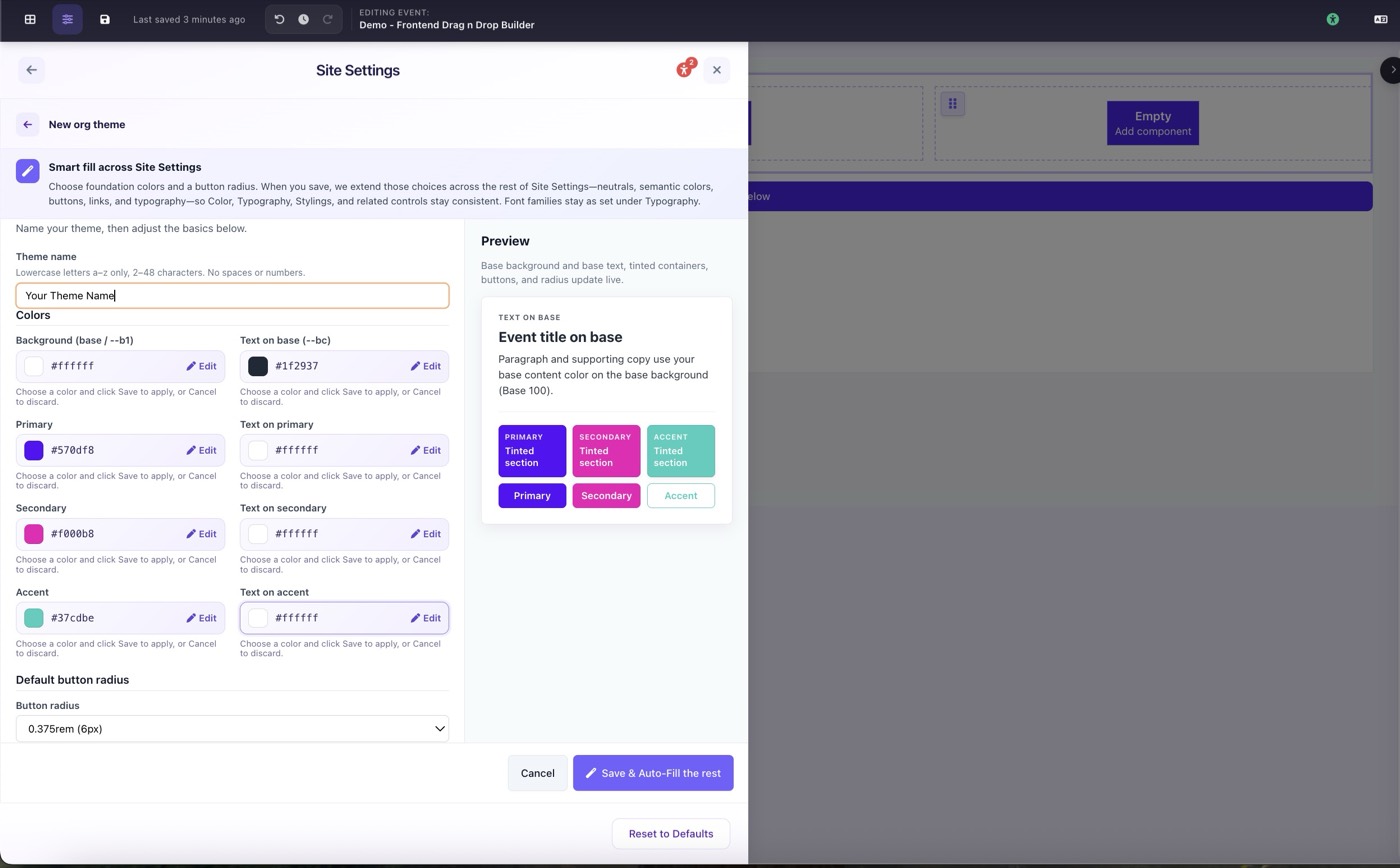
Theme Wizard filled with brand colors ready to save