Custom CSS

Prev Next

When the built-in style settings don't give you enough control, Custom CSS lets you write rules that apply directly to the published page. Any valid CSS you enter here is injected after all component and theme styles, so your rules take precedence over everything else.

CSS Editor
CSS Input
A freeform code editor. Write any valid CSS targeting elements on your event page. Changes apply to the entire published page: header, footer, checkout form, and all components. Use browser DevTools on the preview or published page to find the correct selectors before writing rules here.
Common Use Cases
Hide an element
.bt-some-element { display: none; }: Use when a component doesn't have a built-in toggle for a specific sub-element.
Custom font-size override
h1 { font-size: 3.5rem !important; }: Override a specific heading size beyond what the Typography sliders allow.
Target a specific section
Add a Section ID in the Section → Content tab (e.g. hero-section), then target it: #hero-section { background: linear-gradient(...); }
⚠️Custom CSS is applied to the entire page, including the checkout form. Broad selectors like input { } or * { } can break the registration experience. Test thoroughly in Preview mode before publishing.
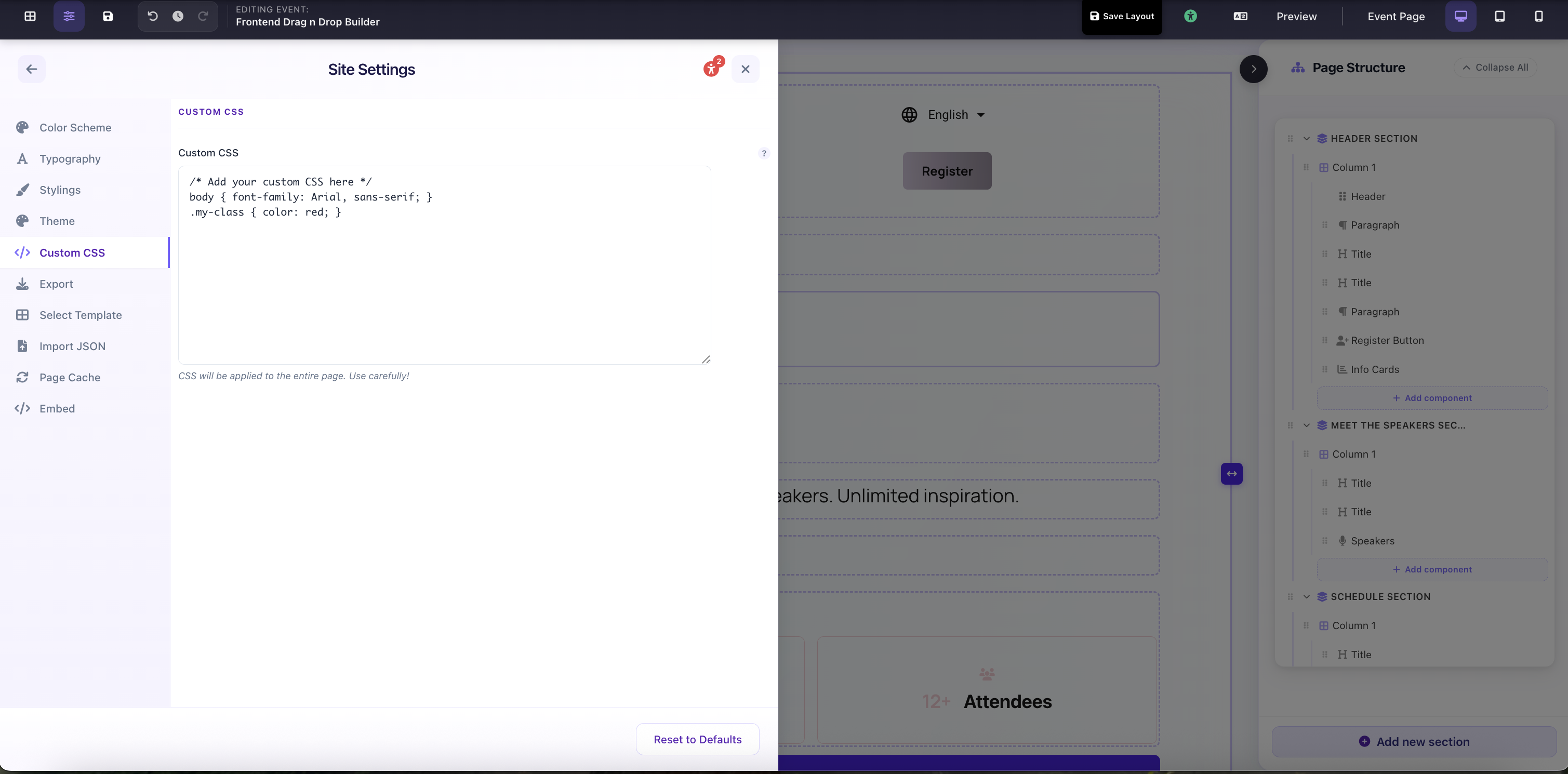
Site Settings → Custom CSS editor: write any valid CSS to override the entire page