Click any "Add component" placeholder in a column to open the component selector. Components are organized in three tabs:
ButtonFooterHeader
HeroIconIcon List
Icon-Text GroupImageParagraph
Rich TextSocial ShareTabs
TitleVideo
About EventDate & Time
Event BannerCountdown
FAQInfo Cards
Session ScheduleSimple Location
Simple PricingSpeakers
Sponsors
Checkout FormRegister Button
💡Use the search bar at the top of the panel to find any component instantly across all three tabs.
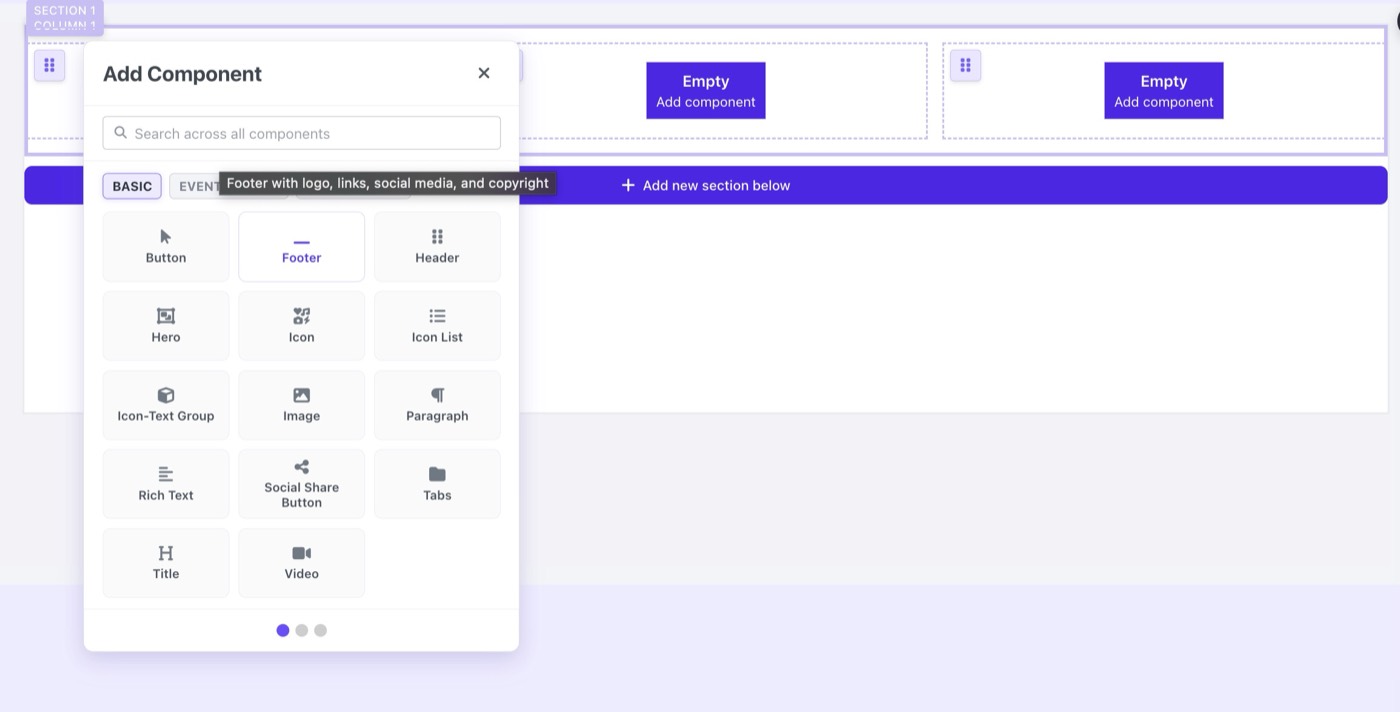
The Add Component panel: BASIC, EVENT DETAILS, REGISTRATION tabs