When your canvas is empty you'll see two CTAs: Add New Section (blank) and Browse Templates (picks a starting layout).
Once a section exists, the right sidebar shows the Page Structure tree: every section, column, and component in your layout.
Each section has three settings tabs in the sidebar:
- Content: Section name, column count (1–5), and column distribution (50/50, 67/33, etc.)
- Style: Background (solid / gradient / image / video), border, shadow
- Spacing: Padding on each side with linked-toggle option
💡The "+ Add new section" button always appears at the very bottom of the canvas. You can add as many sections as you need. There's no limit.
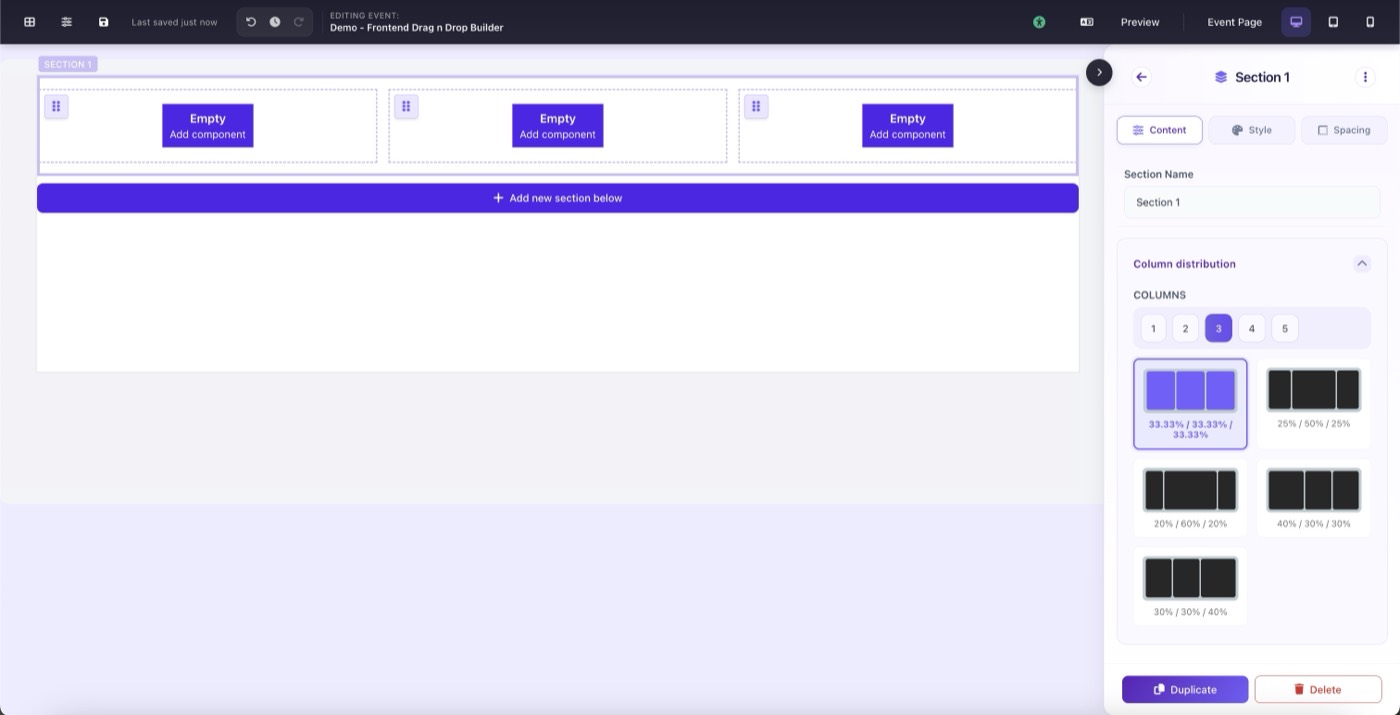
Section settings panel showing Content, Style, and Spacing tabs